
IMEI Check

Everything you need for a fast and reliable iPhone IMEI check
Get a trusted iPhone IMEI check for any Apple device and verify important information before buying. Our service helps you quickly check device details, status, and possible restrictions using your IMEI number.
What is IMEI?
IMEI (International Mobile Equipment Identity) is a unique 15-digit number that identifies your iPhone — similar to a passport for your device. Every iPhone has its own IMEI number, and no two devices share the same IMEI.
With our free iPhone IMEI check, you can instantly get detailed IMEI info, including your device model by IMEI. You can also use an iPhone IMEI lookup to learn more about your device before making a purchase.
How to find iPhone IMEI?
Not sure where to find IMEI on iPhone? There are several easy ways to locate it:
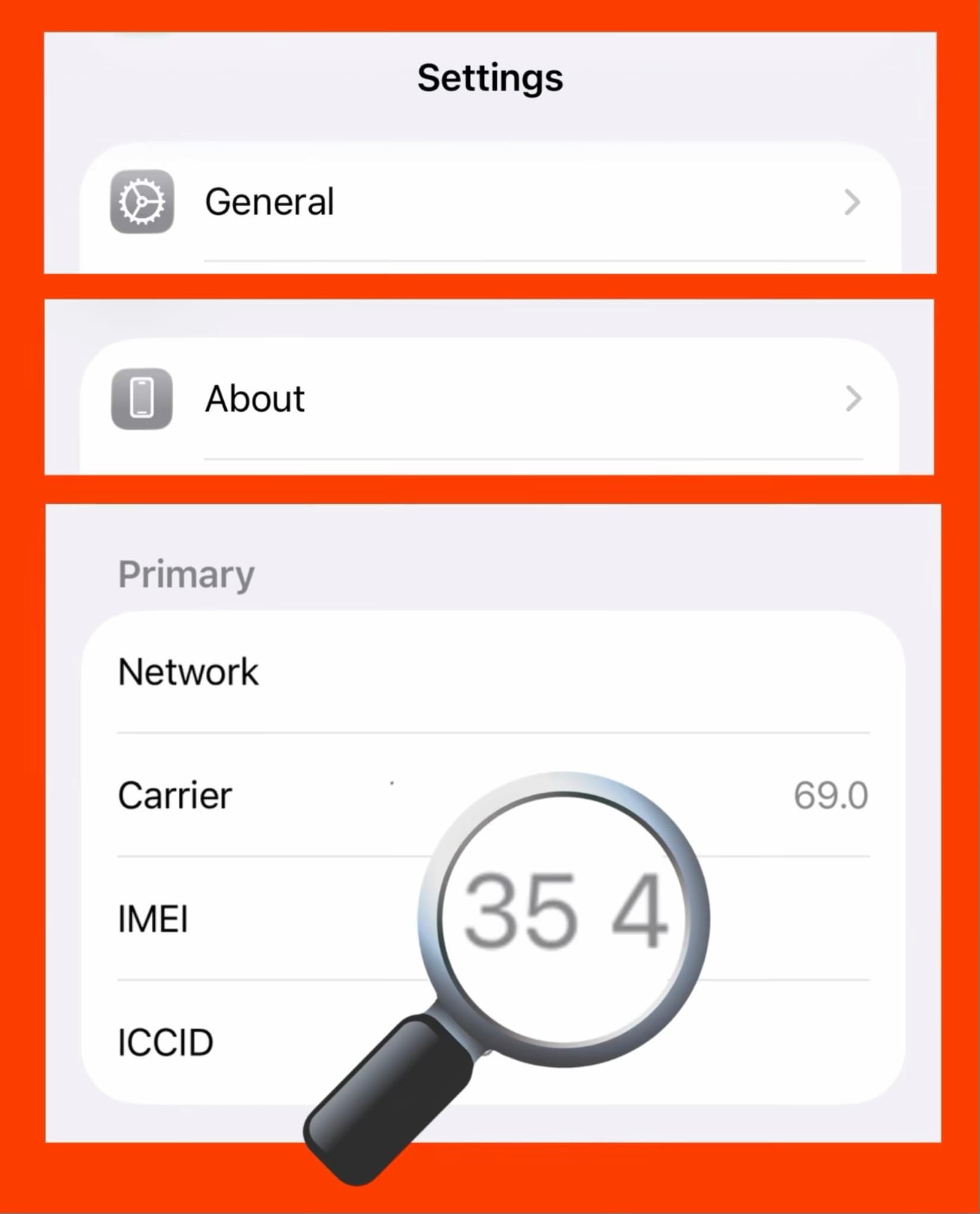
- Open Settings → General → About
- Dial *#06# on your iPhone keypad
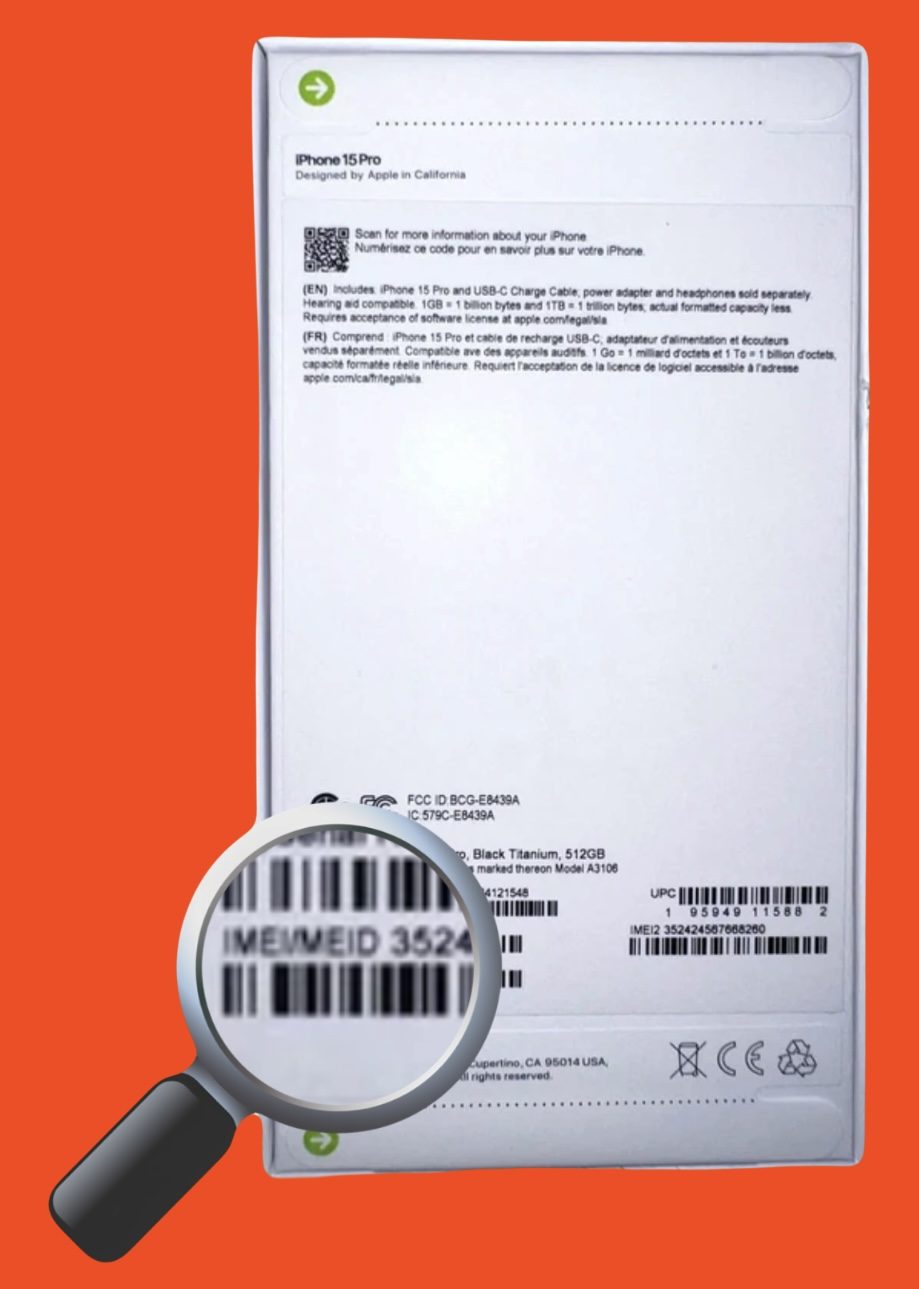
- Check the original iPhone box label
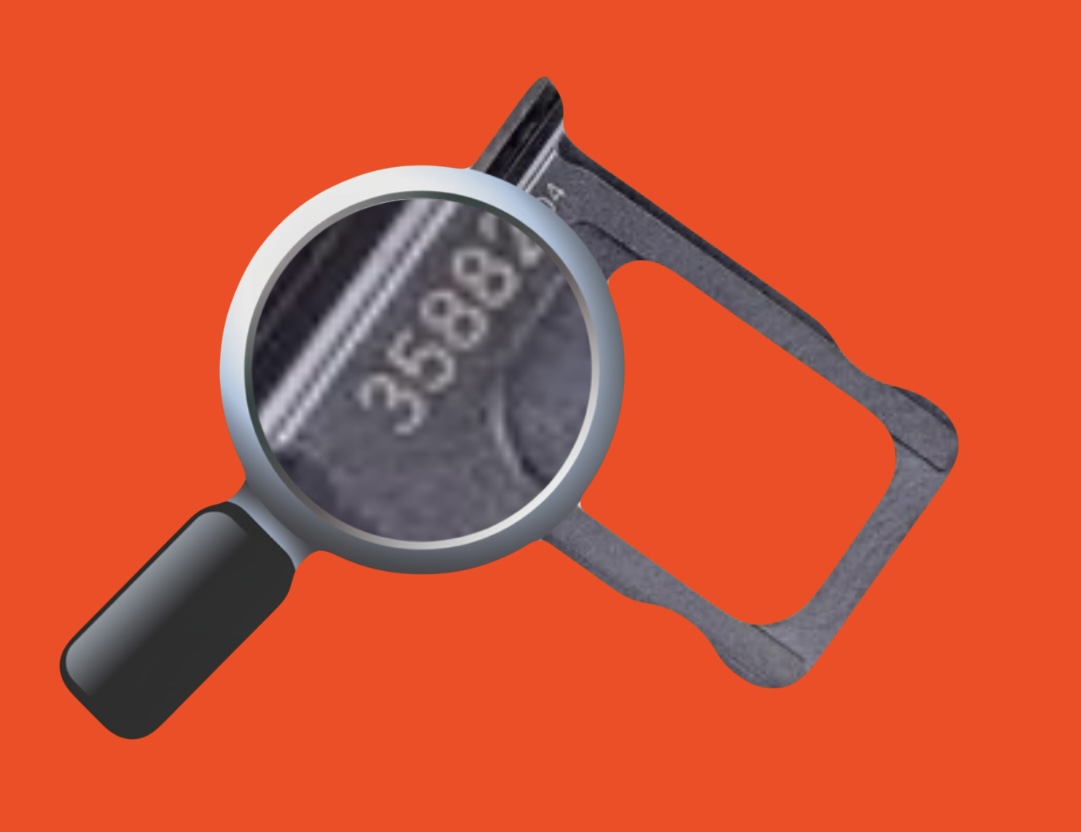
- Check the SIM tray on supported iPhone models
Knowing how to find iPhone IMEI is the first step before using an IMEI checker or checking a used device.
Why check IMEI before buying?
Buying a used iPhone without checking its IMEI can lead to hidden problems. A quick IMEI check online helps you verify the device before purchase and make a safer decision.
A clean IMEI means the phone is not reported as lost or stolen, is not blacklisted, is not restricted by carriers, and does not have known ownership or activation issues.
Whether you are performing a used iPhone IMEI check or checking a device you already own, an IMEI report can reveal important information before you spend your money.
Our free IMEI check allows you to instantly identify your iPhone model by IMEI. For more detailed results, advanced checks can provide additional information such as carrier status, warranty details, and device history.
Risks of buying an iPhone without an IMEI check
- iCloud Lock (Find My iPhone / FMI ON) — The device may still be linked to the previous owner's Apple ID and cannot be activated without their password. An iCloud lock check and Activation Lock check help identify this problem.
- Blacklist Status — A lost or stolen iPhone may be added to a blacklist and blocked by mobile carriers. An IMEI blacklist check helps protect you from buying a device that may not work properly.
- Carrier Lock — Some iPhones are locked to a specific mobile operator and require an official unlock. An iPhone carrier check helps determine whether the device is locked or factory unlocked.
- MDM Lock — A company or school may manage the iPhone remotely. This can restrict settings, applications, and certain device functions.
- Warranty Issues — Some sellers may provide incorrect warranty information. An iPhone warranty check helps verify available Apple coverage details and warranty status.
How to check IMEI number?
To check IMEI number, simply enter your 15-digit IMEI above, select the check type, and receive information about your device.
You can also check iPhone serial number to verify additional device details and identify your iPhone.
An iPhone model check by IMEI helps confirm the exact device model and avoid mistakes when buying a second-hand phone.
Check your iPhone before buying
Before purchasing any used iPhone, always perform an IMEI check to verify the device status.
A reliable iPhone IMEI checker helps you understand whether the phone is safe to buy, properly unlocked, and ready for use.
Start with our free iPhone model check and instantly identify your Apple device model using your IMEI number before making a purchase.